
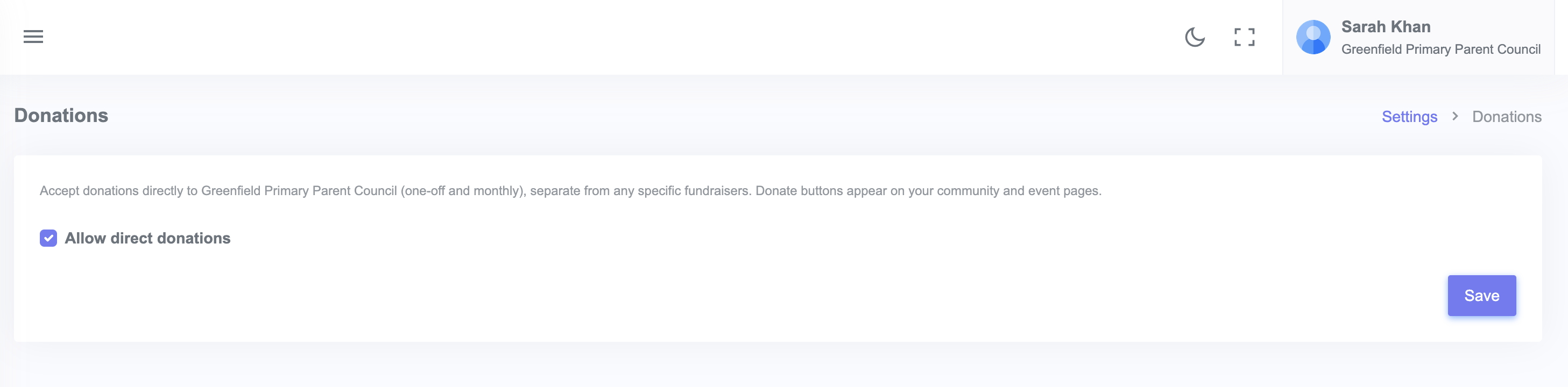
General donations are gifts to your community that are not tied to a specific event or goal. Supporters can give any amount. To enable them, go to Settings → Donations and tick "Accept general donations".
Once enabled, your community page shows a Donate button that opens your community's donation page. You can copy that link to share on social media, on flyers, or behind a QR code.
When to use general donations
- Year-round donations that can fund whatever you need
- Memorial gifts where the donor wants to support the group as a whole
- People who want to give but cannot attend any of your events
For donations tied to a specific goal, use a fundraiser instead.
Enabling general donations
- From your admin dashboard, click Settings, then Donations.
- Tick Accept general donations.
- Click Save.
Your community page now shows a Donate card. The donation page is live and ready to share.
What supporters see
The donation page asks for:
- An amount (the supporter types any figure, or picks a preset)
- An optional name and email so you can send a thank you and a receipt
- An optional message that appears on your community page if they choose to make it public
Card payment is handled by Stripe. The money lands in your group's bank account on Stripe's usual payout schedule.
Tracking donations
All general donations appear in the Funds and impact section on your admin dashboard, alongside ticket income, fundraiser contributions, and any cash you have logged by hand.