
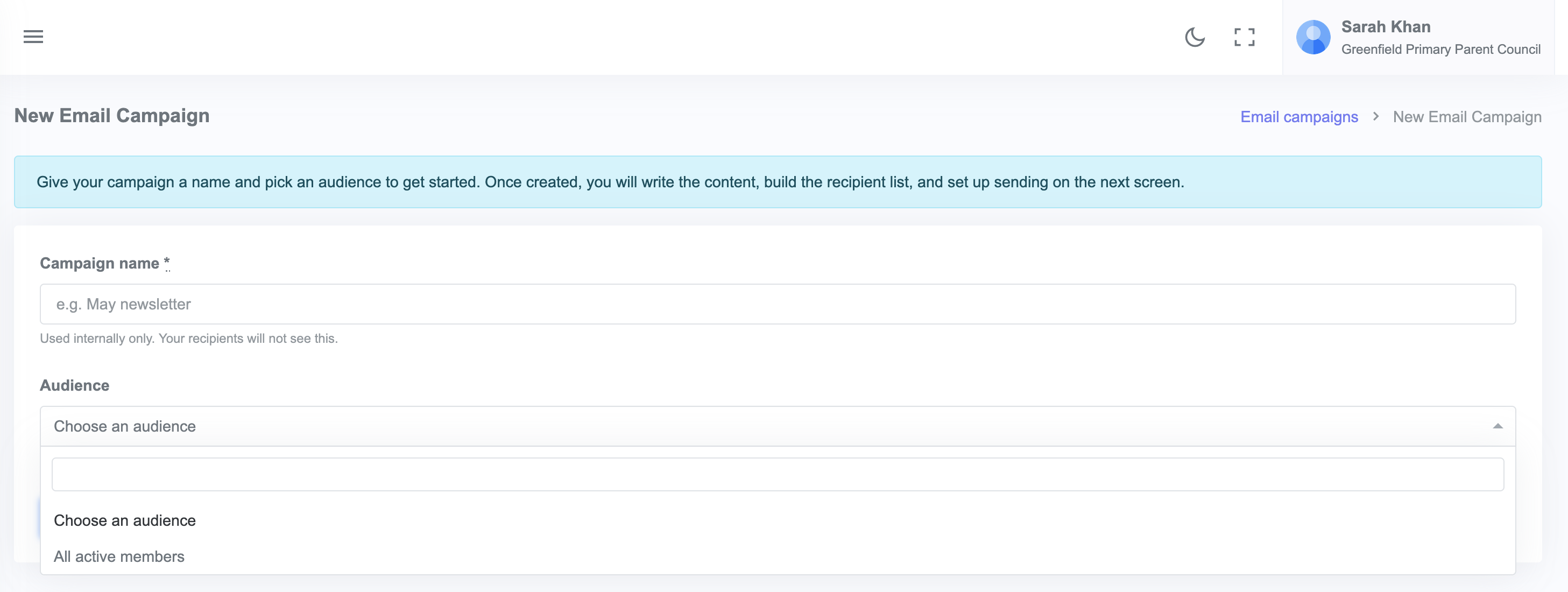
An email campaign is a one off message to a chosen audience (ticket buyers, donors, members, or your whole list). To send one, go to Email campaigns in your admin sidebar, click + New campaign, pick the audience, write your message, and click Send.
You can also start a campaign from an event, a fundraiser or a mailing list using the ⋯ menu on its admin page. That picks the audience and adds the right people for you.
Steps
- From your admin dashboard, click Email campaigns in the sidebar.
- Click + New campaign.
- Pick the audience. There are four:
- All members of your community
- A mailing list, made up of people who subscribed through your public sign up link
- Ticket buyers for a specific event
- Donors for a specific fundraiser
- Write the subject and the body of your email. You can add headings, bullets, links and bold text as you go.
- Use Preview to see how the email will look, and Send test to mail a copy to yourself.
- Click Send.
How sending works
Jotterly sends your emails in small batches so they do not get flagged as spam. A typical campaign of 200 people takes a few minutes to finish sending.
You can track progress from the campaign's admin page. Each recipient shows as Pending, Sent, or Failed with the reason.
Best practice for writing
- Subject lines: short, specific, and tell the recipient what is inside ("Summer Fayre this Saturday: what to bring" beats "Update from the Parent Council")
- First line: lead with the most important thing. Most people scan, they do not read.
- One ask per email: if you need volunteers AND a donation AND attendance, send three separate emails over a few weeks rather than one mega-email
- Sign off as a person: a real name at the bottom feels warmer than "The Parent Council"
Sending yourself a test first
Before you send to everyone, use Send test on the campaign page to mail a copy to yourself. It is the quickest way to catch a broken link or a name that did not merge properly.