
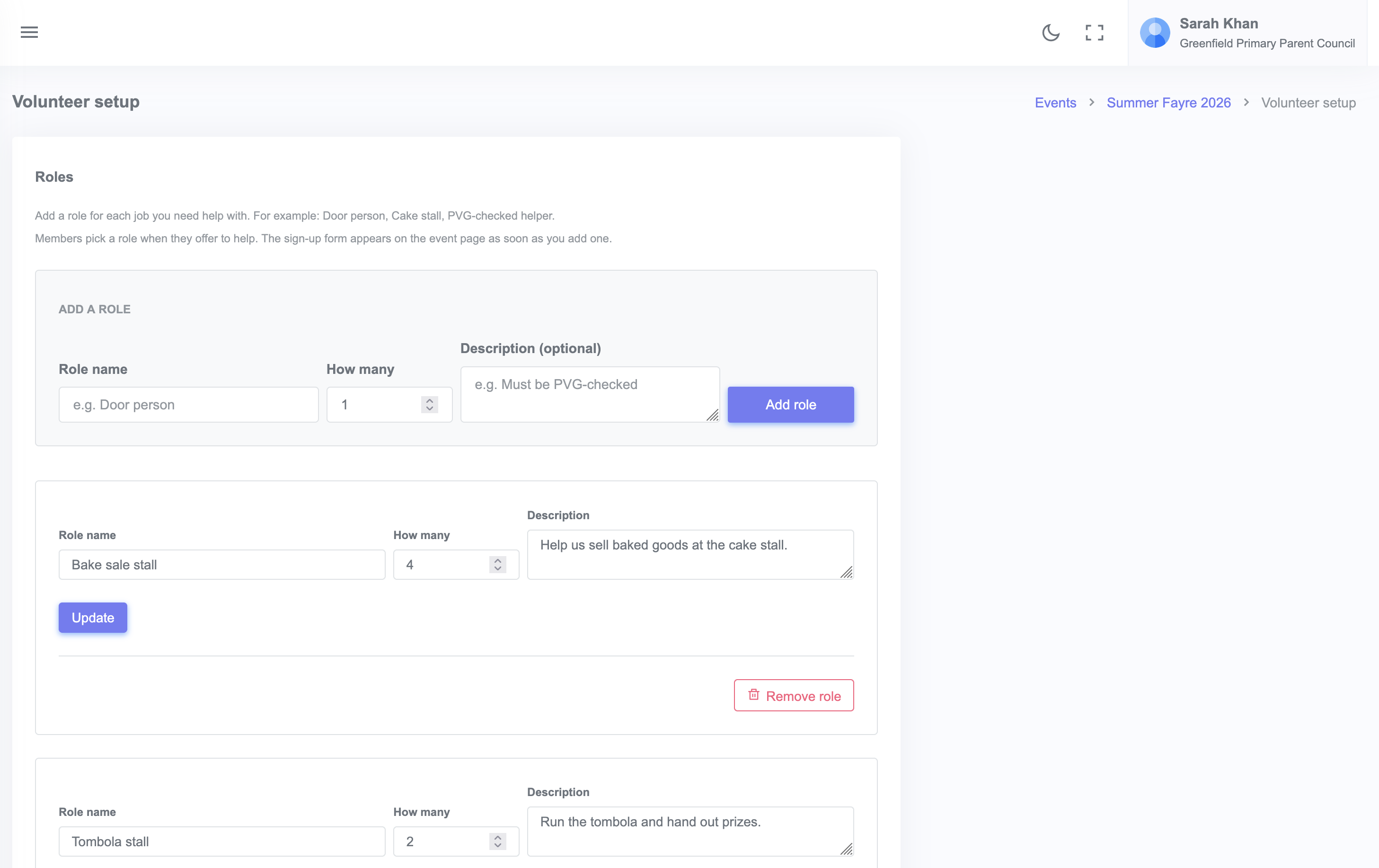
Volunteer roles are jobs you need filled at an event. To add them, open the event in your admin sidebar, scroll to the Volunteer roles section, and click + Add role. Each role has a name, a count of how many people you need, and an optional description.
Once roles are added, the event page shows a Volunteer button supporters can click to sign up. You can see who has signed up from the event admin page.
Steps
- From your admin dashboard, click Events, then click the event you want to add volunteers to.
- Scroll to Volunteer roles.
- Click + Add volunteer role.
- Enter:
- Role name (for example, "Bake sale stall")
- How many helpers you need (for example, 4)
- An optional description explaining what the role involves and what hours
- Click Save.
Repeat for each role. The Summer Fayre example uses four roles: Bake sale stall, Tombola stall, Face painting, and Setup and teardown.
What supporters see
On the event page, the volunteer section shows each role with the current signups against the needed count. Supporters click Volunteer next to any role, fill in their name and contact details, and the slot is reserved.
If they are signed in as a member of your community, their details are filled in for them.
Editing or removing a role
- To change a role, click the edit icon next to it.
- To remove a role with no signups, click the delete icon.
- To remove a role that already has signups, you will need to remove the signups first or contact the volunteer to let them know.